
eBible - Bible with Q/A - Get APK
You'll be able to download in few seconds.
Publisher Description
Find over 10,000 answers to the most commonly asked questions on God and Bible.
Now includes over 10,000 answers to questions on the Bible, God and Christianity. See the most commonly asked questions next to verses that you're reading. Read answers from our community.
Don't see what you need? Ask your question here on eBible and get help from real people!
Don't read the Bible alone. Read this Bible in community. With folks who can help you understand what God has in store for you.
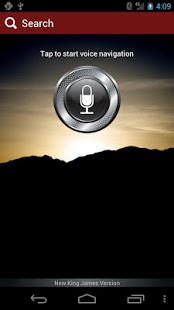
World's first voice navigated Bible! Simply say "John 3:16" and it'll take you there and read the scripture back to you (ESV Audio Bible only). Over 40+ Bible translations including NIV, NKJV, ESV, NLT, MSG, AMP, NASB, KJV and more. Get an inspirational Verse of the Day, delivered to you every morning via email. Also other popular reading plans and devotionals on wisdom, faith, healthy living, joyful heart and more.
Included is a FREE 15-Day trial access to Bible explanations, with lots of commentaries, dictionaries and Strong's concordance.
Super fast search and navigation. NIV, NKJV, KJV, ESV, NLT, Amplified, Message and more. Get explanation with free 15-day trial to commentaries, dictionaries and Strong's concordance. Sync data to eBible.com.
eBible App Helps You Engage the Bible More
* Journal notes and search them by keywords
* Highlight an entire verse or on individual words, like a real book
* Layer highlights on top of another including underlining
* Fastest navigation - type 'R' and see all books starting with R.
* Reading plans and devotionals to help you stay engaged
* Sync to the cloud - access all your data on our website (http://ebible.com) and other devices
* Study tools - concordances, commentaries and dictionaries (in-app purchase)
* 40+ Bible translations including NKJV, ESV, NLT, MSG, AMP, NASB, KJV and more.
What our users say:
“Best bible to read from. This is the most aesthetically pleasing bible to read from. Simple, smooth, and I like how you can scroll through a book and the titles of each section to find a story, event, or the account that you are looking for. Especially like the breakdown of Strong's number and definitions of each word in a verse which allows you to study the whole verse in one quick, convenient fatal sweep... and get cross references and Matthew Henry's take on it... all in one place! Awesome!” -- Seen003, Apr 9, 2012
“Excellent Bible App!!!! - I have used a number of the Bible apps available...and find this new version to be my favorite! What I really like: closest look/feel to a paper Bible (the fonts and layout is the most realistic I've seen), when highlighting a verse or section you get not only a "copy" function, but direct access to the commentaries, references to the Strong's concordance, and cross-references that make this Bible a really viable study tool, as well! Also, the Bible versions are robust enough for almost all users, with downloadable versions...Bottom-line...this Bible App has, IMHO, moved into the forefront in this category! At the price...who can say "no" to at least trying it, if not making it the one you go to for Bible reading and study!?!?” -- MacTombo, Nov 29, 2011
About eBible - Bible with Q/A
The company that develops eBible - Bible with Q/A is Bible from eBible. The latest version released by its developer is 1.0 .
To install eBible - Bible with Q/A on your Android device, just click the green Continue To App button above to start the installation process. The app is listed on our website since 2016-04-07 and was downloaded 0 times. We have already checked if the download link is safe, however for your own protection we recommend that you scan the downloaded app with your antivirus. Your antivirus may detect the eBible - Bible with Q/A as malware as malware if the download link to com.osprit.ebible is broken.
How to install eBible - Bible with Q/A on your Android device:
- Click on the Continue To App button on our website. This will redirect you to Google Play.
- Once the eBible - Bible with Q/A is shown in the Google Play listing of your Android device, you can start its download and installation. Tap on the Install button located below the search bar and to the right of the app icon.
- A pop-up window with the permissions required by eBible - Bible with Q/A will be shown. Click on Accept to continue the process.
- eBible - Bible with Q/A will be downloaded onto your device, displaying a progress. Once the download completes, the installation will start and you'll get a notification after the installation is finished.
Program Details
System requirements
Download information
Pricing
Version History
version
posted on 2016-04-07
1.20.8,- Database bug fixes,- Offline Reading Plan,1.20.6,Changed apk type to support Google Speech Recognition on all devices,1.20.5,Fixed minor issues,1.20.4,Voice (Speech) Recognition bug fixed.,1.20.3,Voice (Speech) Recognition is optional for devices without microphone.,Fixed crash concerning to highlighting.,1.20.2,Fixed Speech Recognition issue for tablets.,1.20.1,Fixed FB login issue.
version 1.13
posted on 2013-06-17
Several fixes and updates
Disclaimer
External Download
We do not host eBible - Bible with Q/A on our servers. We did not scan it for viruses, adware, spyware or other type of malware. This app is hosted by Galad and passed their terms and conditions to be listed there. We recommend caution when installing it.
The APK Download link for eBible - Bible with Q/A is provided to you by apps112.com without any warranties, representations or guarantees of any kind, so access it at your own risk.
If you have questions regarding this particular app contact the publisher directly. For questions about the functionalities of apps112.com contact us.
